Mindmap Creator
Timeline
August 2016 - August 2017
Active Development: ~6 months
Team
Size: 1 Person
Role: Solo Developer
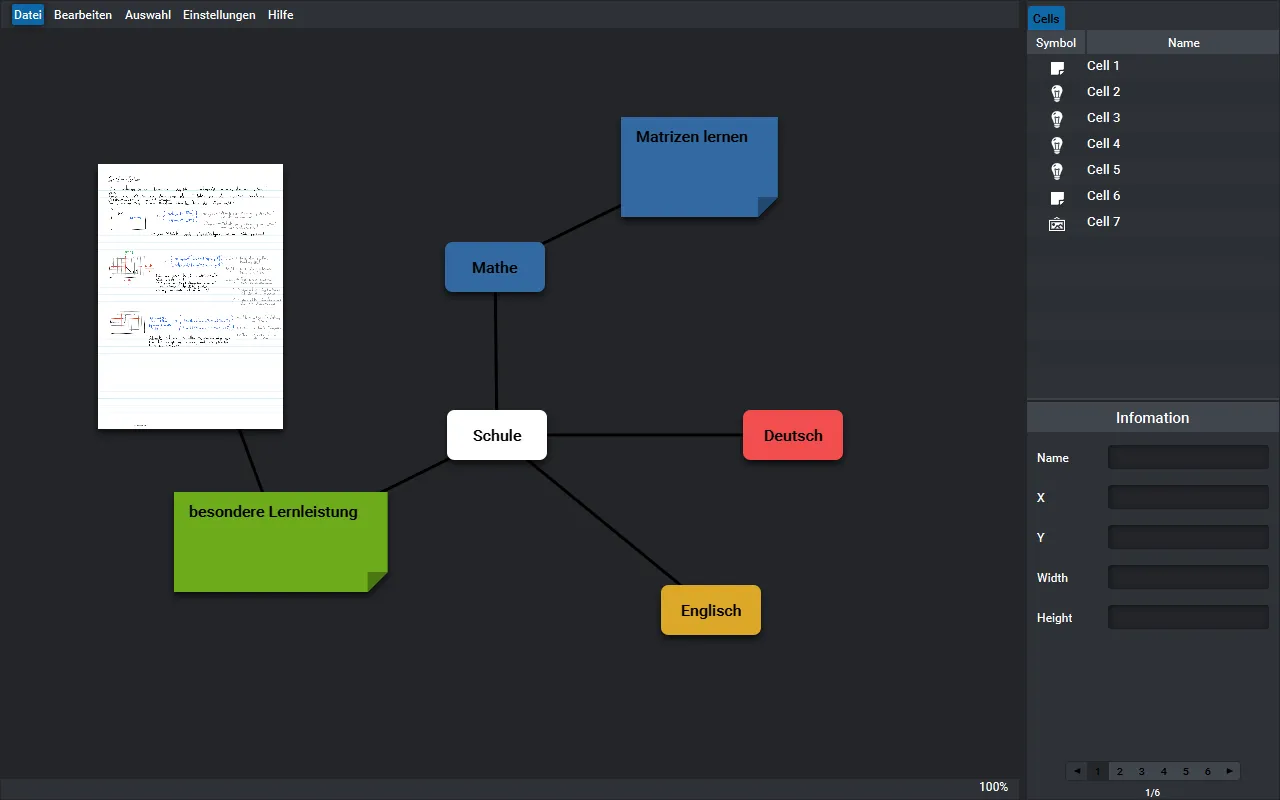
Mindmap Creator is a fully custom mind mapping and diagramming tool I developed solo during my last year of high school. Built with Java 8 and JavaFX, the idea came out of a simple frustration: the tools I was using were just too rigid. I wanted to break free from the "tree-only" approach and build something that felt more like a real canvas — where you could connect anything to anything, anywhere. Think: Draw.io, tldraw, Excalidraw, or Miro — but in Java, and made by a very determined teenager.
The Backstory
This was my first real software project of significant size. I was fascinated (and still am 😄) by diagrams and mind maps as a way to visualize and structure ideas.
At the time, I had tried tools like Xmind and FreeMind, but they felt too restrictive. These apps forced a tree structure: you could only add new nodes by branching from existing ones, always starting from a central node. That worked for simple hierarchies but not for more complex graphs or ideas that needed cross-linking.
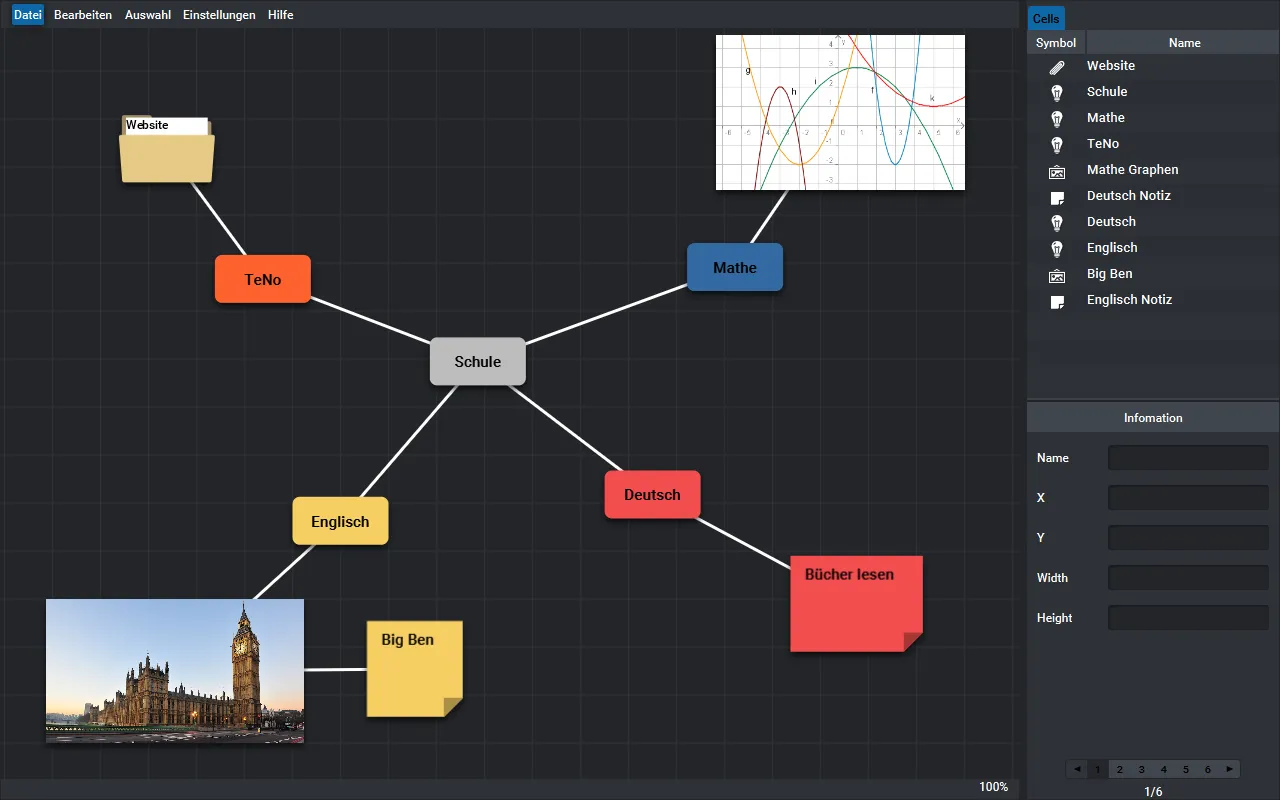
I wanted something different—something like a canvas where you could drop any kind of node (text, images, audio, video, even links) and connect them however you liked.
In retrospect, the project scope was massive. I had no idea how to plan a project, had never heard of Scrum, Kanban, or user stories. I just wrote bullet points on paper and jumped into coding.
Since I was aware of my “procrastination tendencies,” I submitted the project as a “Besondere Lernleistung” (a special graded project in the German education system). This gave me a hard deadline and external accountability—which turned out to be a brilliant decision. I doubt the project would’ve ever been finished otherwise.
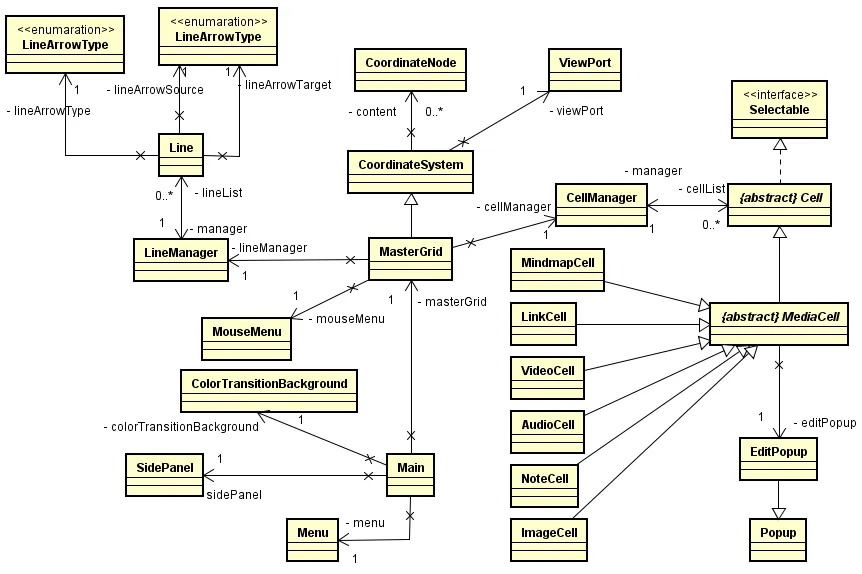
Implementation and Design Details
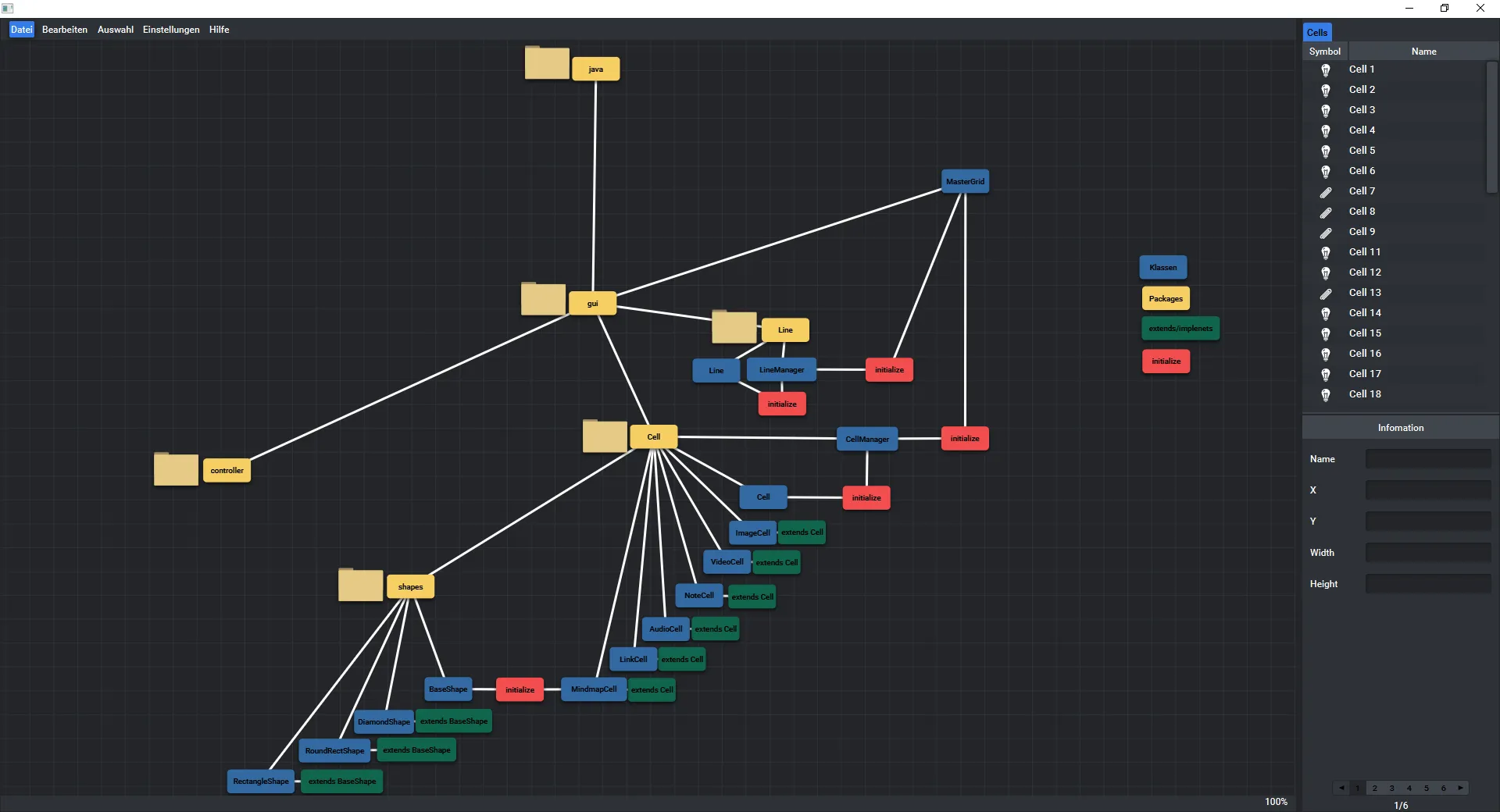
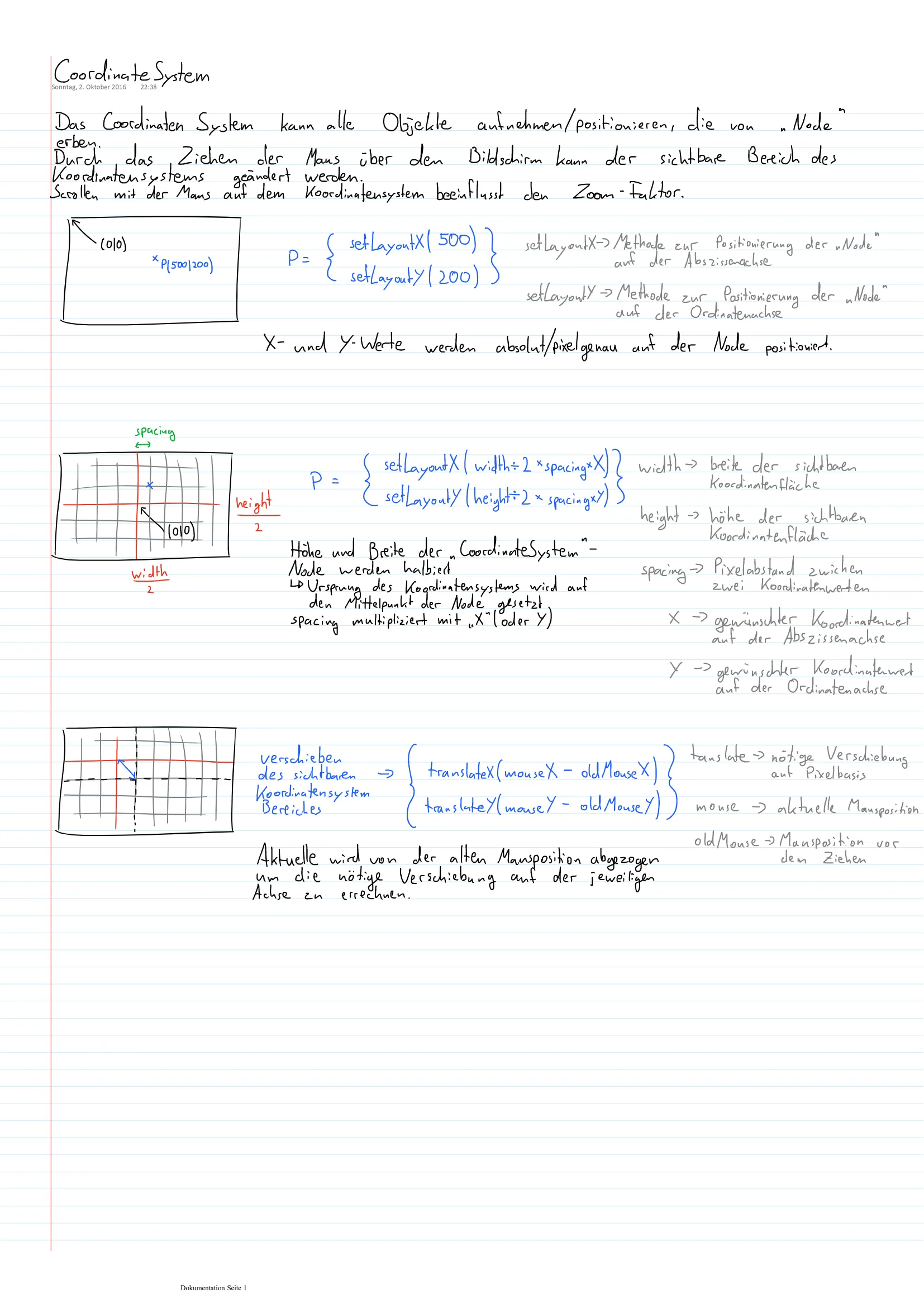
The development began with a focus on the freeform canvas, as it was the central part of the project’s concept. The canvas supports smooth panning and zooming. It allows users to place, move, and connect nodes of various types — text, images, videos, audio files, and links — anywhere on the screen.
To improve usability, I replaced traditional toolbars with a radial menu that appears around the mouse cursor. This minimized unnecessary mouse movement and allowed for a faster, more intuitive workflow. Nodes are created at the mouse position and can be freely positioned. Connections are made by clicking and dragging between elements, with a simple click-repeat action to remove them. Furthermore, all nodes can be modified changing their color, border, form and more.
A unique aspect of the design process was my use of Blender, a 3D modeling and animation tool, to prototype the visual feel of the interface. Inspired by Material Design, I used Blender to explore how shadows should behave, simulate depth effects, and design animations — such as the appearance and disappearance of notes, and the radial mouse menu. This approach allowed me to refine the UI experience visually before implementing it in JavaFX.
To store user data, I implemented a simple custom serialization. The save file uses a human-readable, semicolon-separated format, where each line describes either a node or a connection on the canvas.
What I Learned
- Deadlines are magic. Without the school assignment deadline, I probably wouldn’t have finished the project.
- Building software is more than writing code. I had to think about UX, design, documentation, and presentation—all valuable skills for future projects.
- Planning matters. I had no idea what user stories or Kanban were, but the lack of structure made development chaotic. It still worked out, but it taught me how much smoother things could go with proper planning.